Thursday, July 11, 2013

Review: Ubuntu Gnome from a LIve CD

For the last few days, I've been playing with Ubuntu Live CDs to run as a secured workstation. It's a very interesting way to work. I use this setup to conduct work related research, log my activities and note important events while I'm at work since I have not been assigned my own PC, but need one to work. I have checked this out with my employer and they are OK with this setup, for anyone wanting to know.

There are some good reasons for doing this. One is that I didn't want to create any security problems on the company network. Part of the solution provided by employer is direct network access to the internet which will keep traffic from my computer off of the business network. It's probably through a router and that's nice, but Windows machines are notoriously easy to hack. An un-patched Windows machine won't last more than a minute when directly connected to the internet before it's been compromised. So, using the Linux boot CD is a security measure while accessing the internet to protect the image that is on the hard drive.

Two, I can run on my preferred platform, Gnome 3 on Ubuntu. I am seriously anti-mouse. I won't use the mouse unless absolutely necessary and, as it turns out, there is a good reason to avoid it. I just naturally prefer to use the keyboard rather than the mouse and Gnome 3 is particularly well suited for this kind of work. For example, when I want to launch an application, I just press the Windows key and type the first few letters of the application name. Then the application appears, usually as the first entry on the list, then I press enter to run the application. This makes it easy for me to find and launch applications and it is much faster than the menu driven approach used in KDE, Windows and Gnome 2.x.

Three, if they need this computer, I can always find another older computer to work from. I don't have to worry about re-installing a good setup on another machine since I only need to boot to a CD. Since the work I do stays in the cloud at Google Docs, I have no worries about any work product being left on the hard drive.

To summarize, this is what I'm doing:
  • Use an unassigned computer as my temporary workstation.
  • Boot that workstation with an Ubuntu Live CD.
  • Install Chrome temporarily for my work.
  • Browse the Internet to do my research.
I've tried using two different forms of live media: USB flash drive and CD/DVD.

I've found the USB drive to be painfully slow, but it does offer persistence, something that I don't have while running a live CD. Persistence allows me to keep settings and applications after shutting down and rebooting the computer. Persistence also allows me to save files to the USB drive that I can gather again later. I can even booth the USB drive on another computer and my settings will be there.

For example, on a USB drive, I can install Google Chrome and know that it will be there on the next boot. Space permitting, any applications that I install will remain on the USB drive. While this is convenient, it is still painfully slow. It appears that caching data to the USB drive is slow for read/write compared to working from a hard drive. I wonder how an external SSD might work, but I may wait awhile for the prices to come down before I try them out.

On the other hand, running Ubuntu from a Live CD is much faster, much more responsive and a far more enjoyable experience. The only problem is that if I want to run Chrome, I have to re-install it over and over again with each boot. Considering the performance gains over the USB drive, that is not much of an inconvenience. Besides, I'll always be on the latest version of Chrome with each re-install.

Where are the programs installed? Good question. The CD is read-only, so no programs will be installed there. What the live CD will do is take a part of the host machine's hard disk that has no data on it, and write to the disk to cache information needed to run Ubuntu. Any programs installed will be saved there. But on reboot, they won't be there later, thus, I have to re-install them for use again.

It's not so bad to run this way. I don't mind re-installing the packages as they're small and don't take that long to install. In fact, running the live CD and installing what I need is much faster than waiting for the USB drive to load and run Chrome starting with multiple tabs.

The Gnome interface is very snappy on the live CD. It's easy and quick to move from virtual desktop to virtual desktop. Applications load fairly quickly from a CD and they run quick once they're loaded.

The most interesting aspect of my live CD experience is noting how quick and nimble Google Apps will run from the live CD. Gmail, Blogger, Google Drive and Google Docs run great. I have a large text document that takes forever to load on the USB drive, but on the Live CD, it loads quick. It feels very much like a desktop and I find that I'm very comfortable working this way.

There is a big difference in speed between the Live CD and the USB drive. The Live CD is actually faster than the USB drive, something that I did not expect. The USB drive was so slow that I just gave up on it in frustration and switched to the Live CD instead. I suspect the speed is due to caching the data on the hard disk rather than the USB drive which is much slower than the hard disk.

There is a security caveat that should be noted about both USB drive and Live CD sessions of Ubuntu. With USB drives, there is room for persistent files to be stored. The entire configuration of Google Chrome, for example, is stored in the space for persistence. Chrome is very good about syncing the settings of the browser from computer to computer. Chrome settings on my home computer sync wherever I happen to sign into Chrome on another computer. This is very convenient and presents no security risks as long as I decline to save the password and as long as I log out when I'm done with my session and close the browser. But on a USB drive, browser syncing presents certain security risks.

For example, any passwords saved in Chrome at home will transfer to Chrome running from a USB drive while working away from home. If the USB drive were lost and someone else picked it up, I'd have to change all the passwords affected by the loss. I'd need to do this before the person who found the USB drive figures out what to do with it, too. When it comes to security, I feel much more comfortable with a Live CD.

With a Live CD running Ubuntu, there is no worry about potential security problems with persistent settings. Once you shut down the computer, all the programs you've installed, and their settings, are gone forever from that machine. This is reassuring in that I won't have to worry about leaving my data on any drive anywhere. When the CD pops out, the data that I was caching on the hard disk is gone.

The use of a Linux Live CD is not limited to work. I could use it while on vacation, away from the home computer. If I need to write extensive email correspondence while away from home the Live CD can help. If I need to check my online banking while away from home, the live CD comes in handy.

A few years ago, I read a story about a businessman who understood the security risks relating to Windows, so he used a Mac instead. He used his Mac for his business and personal computing. One day, he needed to access his bank account online, but he was away from his office, and so, didn't have immediate access to his Mac.

To save time, he used a Windows PC at a friends house to access his online bank account. When he attempted to access his account later that day, he found that he had been cleaned out to the tune of more than $100,000. Turns out that his friend's computer was infected with malware that had installed a keylogger. The keylogger captured his keystrokes and sent them to a server where black hats could pick it up and hack into his bank account. He was not able to recover his funds from the bank or the thieves.

Note: I do not use the term "hacker" to identify the bad guys. Linux comes from a hacker community and they are definitely good guys. To identify the bad guys, I use the term "black hats". They are the bad guys who want your money.

A Linux Live CD can prevent losses like the one sustained by the businessman above. We're not going to see a Live CD for MacOS in our lifetimes. Windows live CDs are not considered secure in my opinion. But Linux, an operating system built on security from the get-go, has many flavors of live CDs to choose from, provides an escape from the monoculture that is Windows or Mac. The diversity of the live CD makes them especially hard for black hats to anticipate in order to compromise secured communications or accounts. That makes a Live CD ideal for use as a way to access an online bank account or other secured resource when the computer I normally use is not available.

The Linux Live CD also makes a fine temporary workstation. Here are some examples of Live CDs you might like to try:

Linux Mint
Fedora Project
Ubuntu Gnome

If you're new to Linux, a live CD is a great way to put your toes in the waters of free software as well as a great temporary workstation.

Wednesday, July 10, 2013

As the tide goes out, it carries Microsoft

There is a definite sea change in the IT space. There was a time when you couldn't get fired for buying Microsoft products, but that time may be gone or on the way out. According to the latest news, Netflix has dumped Exchange and other onsite application servers for Google Apps and other cloud based infrastructure.

Netflix is making the change to simplify their operations, as many companies like to do. I think that Netflix's move is evidence of a sea change, a much greater trend. Netflix is not alone in moving away from Microsoft to the cloud. Most of the cloud runs on Linux. Why is that important?

Late last year, the Linux Foundation released a survey of Linux use among the Fortune 500 companies, companies that gross better than $500 million in business or had 500 or more employees. The survey found that 8 of 10 respondents were planning on adding new Linux servers. There is also evidence that Windows 8 is driving the enterprise to Linux as well.

Google, IBM, Amazon, eBay, Twiiter and Netflix all use Linux. There are many more, too numerous to name here, but suffice it to say that the biggest companies in the world use Linux. The vast majority of the cloud computing space runs on Linux.

Linux skills are also in very high demand. If you're a professional Linux user, then you know already that your skills will fetch a much higher salary than if you were an expert in Windows. Linux skills are hard to find, so if you have them, you're in good company. If you want them, training is not that hard to find. It's just a question of time and money. Dice.com is where techs can go to find jobs and Dice reports that demand for Linux skills is higher than ever.

As someone who has been using computers for more than 30 years, and having watched Microsoft almost completely eliminate choice in the operating system market, I'm pleased to see these trends emerging. One big reason why Apple is still alive today is that Microsoft made a token investment in Apple to keep it alive - mainly to avoid further antitrust scrutiny. Linux arose because a small but determined group of people wanted an alternative to proprietary software. They wanted software freedom.

So, if you're still in high school or college and you have any interest in computers as a profession, learning Linux will put you years ahead of the competition. If you're an adult who's been working Windows for most of your career, beware: if you don't know Linux in 5 years, you may be limiting your earning potential.

Tuesday, July 09, 2013

Testing for Download Speed

I've been on the Internet since about 1991, when I got my first email address and found myself corresponding with people across the world. I started out with a 14.4k modem, then upgraded to a 56.6k modem and at that time, I thought that was pretty nice. In 2001, I got my first cable modem connection running at about 1.5 megabits per second. I loved how Windows Updates would download so fast then. Since then, things have changed.

That experience has made me susceptible to an ongoing fascination with download speeds. So, from time to time, I like to test my download speeds. Part of my desire to know the download speed arises out of curiosity, the "How cool is that!?!" factor, and to ensure that the ISP is doing their job.

Now I could jog on over to speedtest.net, but they tend to be somewhat inconsistent. I've also used the tools at DSLReports.com and they never seem to match speedtest.net. So, maybe I could just download a really large file like an Ubuntu ISO file, weighing in around 955 MB. During the download, I can click on the menu in Chrome (three little bars next to the last tab on top), select Downloads and observe the download in action. Chrome will report the speed there, as well. But even that can be inconsistent, probably due to some overhead.

In Linux, Mac and I believe Windows, there is a text based tool called wget. Wget is the tool to use to download pretty much whatever you want. You can download an entire website if you have the space and if the website permits you to do it. I like wget because it's a very clean download from the command line. There is no user interface overhead from Windows or Gnome, nor is there overhead from the browser. For example, I could type the following command:

wget http://cdimage.ubuntu.com/ubuntu-gnome/releases/13.04/release/ubuntu-gnome-13.04-desktop-i386.iso

And that would download the Gnome desktop version of Ubuntu. Notice the file extension is .iso, that is a CD/DVD file that can be burned to optical disk. When I run the command, the progress, speed and ETA are displayed until the download is complete, like so...


What's really cool about wget (besides about 100 other options to the command), is that when it's done, it displays the download time and average download speed. In the image above, we can see that the download rate was more than 6 MB/s (Megabytes per second). That is consistent with an advertised speed of 50 Mb/s (Megabits per second). The speed here averages a bit more.

I have also found that I can write these commands in shell script. For example, this is what I would write in Linux:
#!/bin/bash
cd /media/scott/ISOs
# wget http://www.mageia.org/en/downloads/get/?q=Mageia-3-LiveDVD-GNOME-x86_64-DVD.iso
wget http://cdimage.ubuntu.com/ubuntu-gnome/releases/13.04/release/ubuntu-gnome-13.04-desktop-i386.iso
Then I can run that file to do the download. Over time, I can add more commands to the file and keep a nice little list of places to go to download the file of choice. So I browse to the location where I want to download the ISO file. Then I copy the link to the ISO file and paste it into my script after the command, wget.

To keep from running the previous wget command (since I already have that ISO), I place a hash character (#) at the beginning of that line to mark it as a comment and keep it from running. One other option to consider for this script is to change the working directory. I have a collection of ISOs in a directory that is not on my main hard drive, so I added a command at the beginning of the script (after the "she-bang" at the very beginning) to change the working directory to the desired location. This way I don't have to copy it again to another location after downloading.

I have found that wget is faster and that storing the commands in a script makes for an easy reference for later. And I just like to watch the progress of the download.

I hope you have enjoyed this little tutorial.

Monday, July 08, 2013

The constant speed of Windows

Over the years, I've had a chance to see Windows in operation on many different CPUs. Starting around 1997 to present, I've seen Windows on the early Pentium processors all the way up to an i5 and one thing remains relatively constant: user interface speed. I remember long ago, how pundits were saying that the 486 was more than enough to handle word processing, after that, we didn't really notice any increase in speed.

While it is true that gamers have realized impressive gains in rendering speed, that is often because the game exploits the graphics processor, not the CPU. What I'm talking about is just plain Windows Explorer action on the desktop as well as ordinary productivity applications.

Here is a typical upgrade for a business to use for comparison: Start with the Dell Optiplex 3010 with 4 GB of RAM, a Core i5 CPU and SATA III connecting the hard drive to the motherboard. These machines typically replace Dell Optiplex 755 machines with Core2 Duo processors, 2GB of RAM and SATA II, running at 3 Gbits per second. What I find interesting is that these new machines have specs that are far better than their previous machines, yet, Windows still runs about the same as before.

Take the simple act of opening a folder on the hard drive. In the past 10 years years, hard disk interface speeds have quintupled. The interface speed has grown from 133 megabytes per second using PATA to to 600 megabytes per second using the SATA III interface, which is a very substantial increase in speed. Yet, again, with a directory filled with hundreds of files and folders, Windows will give us the green progress bar as Windows attempts to inventory the folder.

As a point of comparison, I have a 5 year old computer running Ubuntu Linux. On this machine, I have a music folder with more than 600 objects at the root of that folder. Listing the contents of that folder is nearly instantaneous. On Windows, the computer would spend about a minute running inventory on all folders and files in the folder. The result would be the same whether the computer is older or newer. The subjective speed of Windows operating on the desktop is relatively the same.

This isn't the only difference. I have a wide range of choices in desktops to install on Linux. Some are definitely hardware intensive like Gnome-Shell and KDE. They require at least 2GB RAM to feel normal. If I want something small and light, there is XFCE desktop, a desktop interface that is designed for speed. XFCE works exceptionally well on older hardware, too. Each desktop has a particular focus; some are fast and light, some are very pretty with nice animations, and others provide an alternative to the familiar menu driven interface we know from Windows. There are at least 8 different base desktops to choose from in Linux.

One reason for the apparent constant in speed observed on Windows could be traced to the desire of Microsoft to sell more licenses. Windows has an interesting model for sales. Original Equipment Manufacturers (OEMs like Dell, Hewlett-Packard and Acer) buy licenses from Microsoft and apply that pretty little sticker to the box. The license does not permit transfer to another box. Adding RAM? No problem. New hard drive? Easy.

But if you want more speed, there is a limit to what your motherboard will support. Upgrading the hardware in OEM boxes is not that easy if you want a new CPU. OEM motherboards are customized for the box and many of the parts, like CPU fans and fan shrouds, can be to source. If you want the latest and greatest CPU, you're going to have to buy a new box if your computer is a few years old.

The OEM Windows license is priced much lower than a shrink-wrapped box, too. Some anecdotal estimates the suggest a the cost is around $50 per license for consumer PCs. If you want to be able to move your copy of Windows around, you need to be ready to buy a full license for up to $299.

It is interesting to note that during the days prior to the release of Windows Vista, there were many articles discussing the fatter hardware requirements of Windows Vista. The purpose of these requirements was to get manufacturers on board with the prospect of selling new machines to support greater hardware requirements. At introduction, Vista was seen as bloated and high maintenance and was shunned by most businesses and many consumers.

While the Windows interface could probably run much faster, the need to sell more powerful hardware to satisfy the OEMs seems to be paramount. So if you're wondering why Windows seems to never change in speed, you now have some idea why. If you'd like an alternative to Windows, you may find one in a Linux desktop, a free desktop environment that is under constant improvement from a worldwide community of users and programmers.

Sunday, July 07, 2013

Information Overload

A few weeks ago, I signed up for Feedly and installed it as an app in Google Chrome. I had tried Google Reader and didn't really see much use for it. Yet, after reading about the impending demise of Google Reader, I decided to see if an RSS reader would be really useful.

For those who don't know, RSS stands for Really Simple Syndication. RSS is a worldwide standard that makes it easy for websites to publish their headlines and a snippet. As such, an RSS reader allows you to pull the headlines from nearly any news source and put them on one page. One very appealing feature of RSS readers is that they provide a handy way to scan the latest news on any website, without having to visit that website and look at any advertising. RSS readers also allow you to scan all of your favorite news sources in one place.

Feedly is a very slick and smooth application for RSS. Feedly runs in the background as I browse. When I come across a page that loads headlines, I can click on a translucent icon at the bottom right corner of the page to add it to my RSS reader feed. When I loaded Feedly for the first time, it prompted me to use a Gmail account, which I selected. Then it gathered the feeds from Google Reader for me and used that to start.

From there, I went to all the places I like to read news and added them to my Feedly application. As I added them, I created a few categories, and at first, I actually used them. But there is one category, "All" that I now use every day. The All category will display everything. I can set preferences so that the headlines are displayed in a way that is appealing to me.

Of the four display settings available, I like the Title Only setting, represented by 4 horizontal bars. This shows only headlines with no pictures and very short snippets. It is, in a sense, the beer-bong of news. The headlines are straight and fast. Feedly is very fast, too. So even if you refresh the page, you'll only be waiting a fraction of a second.

After using this application for a few weeks, I found that I developed a definite sense of information overload. There is only so much time in a day. When the sky is blue with puffy little clouds everywhere, I'd rather be out flying a kite than spending all day reading news on my computer. I get a little overwhelmed by all the headlines and really don't know where to start. Maybe I am tracking too many news sources. 

If you're a newshound, you're going to just love Feedly. If you have a life after computers, then you'll want to keep Feedly on a leash to be sure you'll have time to get out and play with your friends and family. The Internet is designed to route around damage and distribute information at the lowest possible cost, and does the job with amazing aplomb and success. Feedly only makes that more apparent, at the cost of having a life.

Friday, July 05, 2013

Achille's Heel

So many electrons have carried the message that the NSA is vacuuming online correspondence with their PRISM program, that I choose not to bore you with the details here. Suffice it to say that in the realm of the 4th Amendment, the new boss is the same as the old boss. Overbearing, unrelenting, and unreasonable in his efforts to keep an eye on the people he serves.

When I voted for Obama, I had high hopes that I was voting for change, especially in the realm of intelligence gathering. I could not have been more wrong. After reading about Lesterland, at least now I have a clue why this surveillance state is gathering steam, even under Obama. Apparently, the top 0.05% income earners of the American population that finance 60% of electoral campaigns across this country are very concerned that the rest of us might be up to something. You know, like organizing political opposition to their vision of what kind of country the United States should be.

The enormous data-gathering efforts taking place to "find a terrorist" may be well-intentioned. They may even be effective at finding and rooting out terrorists. But there are a few problems that merit discussion. First, someone has to read and interpret that data, even if computer algorithms can find a good chunk of the terrorist communications that the government just knows it is going to find.

There is the other problem of NSA employee integrity. Can employees be trusted to leave celebrity data alone? Can employees be trusted not to accept a bribe for intelligence information on a political rival or to divert an investigation to someone else? Can employees be trusted to make honest interpretations that actually lead to real terrorists rather than innocent people? It might be worth the effort and risk for a Homeland Security employee to find a way to finger a rival or adversary outside of the agency. Having the power to lock someone up without bail or access to an attorney seems like it would be mighty tempting for a grumbling employee.

While the problems and questions above could use more scrutiny and public debate, there is one question that seems absent from the mainstream press: Can the federal government keep the data they collect safe from adversaries like foreign governments? How about groups like Anonymous and Lulzsec?

Given the success of Anonymous in breaching security in a variety of contexts and with a wide range of groups and individuals, I'm going to place low odds that the Federal government will be able to protect their treasure trove of information resulting from intelligence gathering. The political, military and commercial value of that information provides an enormous temptation for foreign governments and loosely associated opposition groups. Anonymous seems to have a penchant for turning in really bad guys and fighting for freedom and justice so they may actually be an ally for the people in this struggle for personal freedom and privacy on the Internet.

Certain foreign governments would take delight in capturing information collected by the NSA. China has been caught breaching the security of various organizations and absconding with the information they collect in what can best be described as state sponsored computer warfare. I think it's only a matter of time before an organized campaign originating in a foreign country will succeed in breaching NSA security on a scale that cannot be hidden or denied.

Organizations like Anonymous have demonstrated ample skill at surveying and circumventing network security. They are clearly opposed to the surveillance state, so that could be a motivation for proving the government wrong. Worse, they tend to do datadumps that can embarrass a fair number of well-placed people.

Besides, it is well known axiom that no security system can protect against all threats. While it's not difficult to believe that the NSA has employed numerous security mechanisms to protect the the information they collect, they most certainly cannot protect against all possible attacks. Over time, that risk will grow as technically superior opposition groups test that security and eventually find a hole. To put this in perspective, I have more trust in Amazon and Google to protect my data than the NSA.

Maybe it's just me, but I don't think the government is who we should be worried about when it comes to the use of the information stored in the NSA. I think we should be more concerned about whether or not the government can protect that information from unauthorized access.

Wednesday, July 03, 2013

Centurylink, part III

I got a bill for $237 for services that were really unusable from Centurylink. You can read more about that, here. I guess they just want to set the record straight so that they can collect their money should they prevail somehow. $200 of that is an early termination fee.

Even if they do find a legally binding way to collect and I do pay, they are never, ever going to see me again as a customer. I'm sure they can appreciate that. Eventually, I'll move to where UTOPIA is and that will be that.

I sent a copy of my original correspondence to Mayor Mike Winder. I didn't think he could do much to help, but I did receive correspondence indicating that he would like be apprised of my continuing struggle with Centurylink.

So tomorrow, I'm going to draft another letter and prepare that for mailing after the holiday. I'm also going to have a look at the bill and see what we do owe and pay that. By check.

More to follow.

Monday, July 01, 2013

The Myth of American Productivity is a Ruse

"Americans are the most productive workers in the world", is a common refrain from elected leaders. Those words just make us feel so good. But do the statistics back it up?

We don't know. At least that's what Michael Mandel said in the Washington Monthly. He makes the following points:

  • The US government doesn't track import price bias in productivity data and fails to take into account imported goods and parts in productivity numbers.
  • The Bureau of Labor Statistics is chronically understaffed and does not have the manpower to track import price bias.
  • We need to audit every industry to see how import price bias affects productivity numbers to verify whether or not we're competitive.
  • Companies that move manufacturing offshore tend to reduce research and development investments and offers Hewlett-Packard as an example.
While Mandel offers interesting and very relevant points to the debate of how to revive the US economy, something else cross my mind as I was reading the article. What is missing from the article is why. Why are conditions the way they are? Is it really due to human error?

What if entities like the US Chamber of Commerce *prefer* that data gathering be impaired so that we cannot see the blind spot in our data gathering efforts? What if we're not supposed to see that the only people who prosper from sending manufacturing offshore are the executives who do it? Seems that the Federal Reserve is attempting to take up the slack with this report.

That's why I say that the claim that American has the most productive employees is a ruse. It's based on inaccurate data, and promoted as a distraction from the cause of malaise in our economy: the conversion of American business from manufacturing to "global supply chain management.

Do we really want to become a nation of resellers? Or do we want to make something here - before the world passes us by?

Sunday, June 30, 2013

Virtuous Virtualization

Hmm. How about that. The PeppermintOS project has a twitter account. That reminded me of the old days when I was shopping Linux distributions. Back then, I had a spare machine that I could experiment on while keeping my production machine untouched.

I don't have that machine anymore, but will probably have a spare sometime soon. In the meantime, I have something that might work just as well while shopping Linux distributions: Virtualbox.

Virtualbox is a free virtualization kit that makes it easy for me to test an operating system. Virtualbox was originally built by Sun Microsystems, Inc, and is now owned by Oracle. Virtualbox will run on most major operating systems, Mac, Linux and PC. On Ubuntu, it's in the repositories, so you won't have to hunt around for it on Oracle's site, but you're welcome to if you want to.

I hadn't experimented with Peppermint Linux in a long time, so I thought I'd try it out again. I clicked on the link to their website on their twitter page and found the 32-bit ISO to download. With my nifty-fast 50Mbs connection, I downloaded the CD in about 2 minutes. All 700MB of it.

PeppermintOS is a derivative of Linux Mint, and Mint is a derivative of Ubuntu and Ubuntu is a derivative of Debian. It's a long lineage, but the distinctions between them are clear once you see the desktop. Each has their own design and programming philosophy, too. That's one aspect of the Linux community that I like: There's something for everyone.

After having seen PeppermintOS, I'm not that impressed. I've been using Gnome-shell on my Ubuntu machine now for more than a year and I really like it. PeppermintOS is just more of the menu driven user interface that we had with Windows. I'm so done with that.

Nevertheless, I was able to review PeppermintOS without having to install it on my main hard drive. Instead, I could just load it into a virtual machine. First, I create a new virtual machine in Virtualbox. Then I can configure the new virtual machine to boot from a "CD", a file on my hard drive that can be read like a CD by a virtual machine.

Once loaded, I can install the operating system on the virtual hard drive for testing. If I don't like it, no big deal. I can just delete the virtual machine and try another one.

If I need to use Windows, I just set it up as a virtual machine. This way, I only use Windows when I need to, and I'm not wasting too much space to do it. Then when I'm not using it, I can just shut it down and continue on with my business on Linux. But here is the best part. Let's say you don't want to lose all of your settings and you like your Windows machine the way it is. No problem. Just copy the virtual machine files to the new hardware and load up Virtualbox. You may run into some activation issues, but all of your settings will be there.

Another nice feature of a virtual machine is that you can setup a snapshot of the virtual machine that will put your machine back to original condition. So if it gets hosed by a virus, just revert to a snapshot that was taken prior to being hit by a virus.

I hope you enjoy this article on virtualization. I know it's not that easy to understand, but don't fret. If you don't understand something, post a comment and I'll reply with a gentle answer to your question.

Friday, June 28, 2013

Emily's Arm

On Sunday, June 23rd, our daughter, Emily, suffered a silent injury where she lost almost all mobility in her left arm. We don't know how it happened and are unaware of any way we could have prevented the problem from occurring. All we know is that at one point, she stopped using her left arm and hand for touching things and playing.

When we first noticed the problem, we panicked and called a doctor on call. We were told she needed to be seen right away. So we went to the KidsCare clinic in Taylorsville. Emily was diagnosed with Nursemaids Elbow, a nice name for a dislocated elbow. The doctor tried several times to flex Emily's elbow to elicit a pop sound to indicate the joint was back in place, but no pop sound was heard and Emily still could not move her arm. After X-rays and examination, Emily was set up in a splint and a sling to give her arm a rest. We were advised to go to Emily's primary care physician and follow up the next day.

While visiting her primary care pediatrician, we observed Emily's doctor flexing her elbow to see if she could restore motion for Emily, but that didn't work, either. The doctor here had nothing more to offer except for us to wait a week and see what happens. If motion is not restored, we should call.

We were determined to get to the solution, so we called the University of Utah Orthopaedics Clinic. There, we were referred to Dr. Angela Wang, a 16-year veteran of orthopaedics. Numerous attempts were made to flex her elbow to see if motion could be restored, but all efforts failed. Even after examining X-rays from the day before, they called for new X-rays. All X-rays indicated normal conditions in Emily's arm. They could find nothing out of the ordinary.

I note with interest, that Dr. Wang is not a pediatric orthopedist. She specializes in hand surgery. When we went there, I was under the impression that we were working with someone who specializes in kids care, but we were not. Why this clinic did not refer us to someone more qualified, I'm not sure. Maybe she was all they had on hand that day.

While I was in downtown to run another errand, I asked a former employer about a neurologist that specializes in kids. A pediatric neurologist. I got some names and went home. At home, I called the U and found that they don't have neurologists for anyone under 18. I called Intermountain Healthcare and found that they have pediatric neuromuscular specialists. That's great! We need to set an appointment, what's the earliest date? Mid-August - two months away.

I was astonished. I was also worried that by the time we got to that appointment, atrophy of the muscles in Emily's arm may become a problem.

My experience here brings up another interesting point. For quite some time, there has been a debate over "socialized medicine". Supporters claim that socialized medicine could mean the end of families going bankrupt over medical bills. That there would be more physicians to handle the load of healthcare. Opponents claim that socialized medicine would lead to rationed healthcare.

Often, I have to wait a few days or even a week to get an appointment with a doctor. Sometimes more than a month. I called to talk to our pediatrician one day early this week around 3pm and she had already left for the day. Talk about bankers hours. If the demand is so great, why are they leaving early? Where is the backup? I'd say that rationing is already here for those who have a hard time keeping up with the costs. A real rationing program would be a concern for those who can keep up.

The average salary of an orthopedic surgeon in Utah is about $148,000 a year. That's just the average which means that the upper bounds is going to be quite high for specialists. That kind of pay is double what the same occupation makes in Europe or Japan and is almost five times the mean salary of Americans.

If we're concerned about rationing healthcare, that's already been done. Health care consumes about 18% of GDP now. Which seems like an interesting number when conservatives complain that government spending is higher than 18%. I wonder why I hardly ever hear them complain about a protected healthcare industry that continues to take greater and greater chunks of GDP every year.

For now, we're just going to check on Emily to see that she does recover use of her arm. We're also considering a trip to at least one clinic in Southern California. I've seen some more movement this this week and that's encouraging.

Since that day, Emily has been recovering some functioning in her arm. She is able to move her hand and can grasp objects of her desire. But her range of motion appears to be limited by her shoulder. She is not able to raise her arm very high and that is troubling. I am however, gratified to see that she is moving it at all. I'm starting to think that she is experiencing pain and some mechanical resistance, but am not sure of the source.

Only time will tell, and I will keep you all posted. In the meantime, I want to ask you all: Who do you know who could help us? If you know of a specialist or some gifted healer, let me know.

Thank you.

Update - 6/30/13

After about a week, significant improvements have been realized, with no help from the doctors involved earlier in the week. For example, we have noticed she has a particular fascination with the clear green Perrier bottle and have exploited that to motivate her to use her left arm.

I started with just putting the bottle top with the cap on, in the palm of her left hand and then propping the bottle up with her right hand on the other end. Throughout the week, she became more adept at managing the bottle in her hands again.

My wife Alice has spent hours playing with Emily by presenting her with toys. Emily will grasp the toy with her right hand and, it seems that through sheer desire, brought her left hand up to examine the toy further.

  • Emily can now move her fingers much more than before.
  • She can bend her elbow.
  • She can grasp objects with her left hand.
  • She can lift her left hand to meet her right hand.
She still has significant impairment to her left arm, though. She still tends to keep the arm down when in an upright position. She cannot lift her left arm above her shoulder like the right arm. And she seems to forget her left arm unless some other motivation overtakes her.

I have some reassurance that these impairments may resolve in the coming weeks as Emily grows up. I hope so. But in the meantime, I'm looking at other resources to consider to assist Emily's recovery.

Thanks again.

Thursday, June 27, 2013

Gravity, man.

I've always been very interested in gravity. I studied gravity on my own time in high school, having found a book called "The New Gravitation". While reading that book, I learned about neutron stars and black holes. I learned how to calculate orbital periods.

For your enjoyment, consider the Laser Intereferometer Gravitational Observatory (LIGO). It is designed to detect gravity waves. Because gravity is such a weak force, two very large installations have been built, 2,000 miles apart. The estimated variance to be detected is about 10-^16 of one centimeter, or about 100 millionth the diameter of a hydrogen atom.

Though gravity waves have not been detected directly, measurements of a binary system of neutron stars compare favorably with predictions. What did they measure?

To understand what they measured, lets look at how the the observatory is constructed. Each installation in LIGO consists of two laser beams pointed at separate mirrors, 4 kilometers away. The laser beams are set perpendicular to each other to create an intereferometer. The beams are allowed to cross and are kept in phase with each other.

When a gravity wave passes, the beams may be moved out of phase and the alarm is tripped to indicate a possible detection event. When a detection event is seen, the observatory communicates with other optical and radio observatories for correlation.

I've always loved gravity. It keeps me grounded.

Sunday, June 23, 2013

The Evolution of the Word Processor

I've been writing since I was a kid. In school I wrote stories and reports by hand. Sometimes I wrote letters to relatives. As a kid, I tended to avoid writing reports because I found that if I made too many mistakes on a report, or if I missed an important point, I'd have to start over again.

In high school I found that there was a typing class. I took it because I figured there would be girls in the class. I was terribly shy and figured that immersion could help. It didn't but I did learn to type. I took the class also because there was a voice in the back of my mind that said that I might need that skill someday. Someday I'd be typing for a living.

Having to re-write a paper document due to an error could not be avoided in pen. That didn't necessarily improve with the typewriter. Some of you may remember that quaint piece of equipment. The typewriter requires manual loading of single sheets of paper, one at a time, and you had to tell the typewriter when to go to the next line by pressing "return". If you goofed, sometimes you could recover with whiteout. Newer models allowed us to remove an erroneous character with one keystroke. I had one of those.

Then one day, I got a computer and found that I could use a word processor. I remember the joy of using my first word processor. Cut and paste. Backspace! I could move paragraphs around on a whim! But I had no way to get it out onto paper.

I found that my trusty Amiga 500 had a parallel port in the back. I found that my typewriter did, too. I called my local computer store and got a cable and I started printing to my typewriter. This was not at all practical, and quite noisy. I lived in an apartment and my neighbor didn't like it. Fortunately, I was in an end unit, so I only had one neighbor complaining. I could only print during waking hours.

I spring some dough for a color dot matrix printer, easing the pain for my neighbor and I got better quality documents out of it. I could print in color, too, and that was pretty nifty for the time. I still have some fractals I printed with that machine.

The word processor took nearly all the pain out of writing reports for classes I took in college. I zinged my assignments with grades of A, A+ and A++. With the word processor, I could easily sort my thoughts, organize the flow of my work and keep my reader with me.

Alas, Commodore was going out of business. So I had to let go of my Amiga and got a Mac. That had, I think, Microsoft Word. For years I used Microsoft Word, because a friend of mine said that Word was the king of word processors. I think it's pretty good, but I don't use that anymore.

After ten years of using Windows on PCs, I discovered Linux and free software. With that came OpenOffice. The people who developed OpenOffice studied the Word document format and learned how to recreate it with their application. I was gratified to learn that I no longer needed to spend big bucks on Microsoft Office anymore.

I use LibreOffice now and I exchange Word documents on a regular basis with other people, no complaints.

In the last few years, there has been a major shift to the cloud. Word processing now takes place in cloud based applications as well as desktop applications if you still want them. The cloud based word processor comes in many forms. Email, blogging, Facebook, Google+ and many others too numerous to name here.

Google seems to be the best with Google Docs. The Google Docs word processor is relatively complete and creates documents in OpenDocument and Word format. Microsoft has introduced Office365 in an effort to catch up with Google. The cloud based offerings can compete with desktop offerings, but they offer one feature the desktop application can't. Access from anywhere. Tablets, phones and PCs. If you have an internet connection and a mobile device, you can work.

I don't know if I will ever let go of my PC. I'm really old school. But I do enjoy the relative ease of using Google Docs. I keep logs on Google Docs. When I have to deal with businesses as an individual, I log my calls, the points of conversation and planned actions there. I log my work at my place of work so that I can say for certain when I did something if someone else asks.

Word processing has come a long way. What matters to me now is the variety of ways in which I can do it. I have well defined channels for my work. Private work stays on my PC. Routine stuff like logging can be in the cloud. Public stuff can go on Google+ or Facebook.

I'm very happy with the way writing has evolved and look forward to its continuing evolution.

Thursday, June 20, 2013

Finding Money Under the Couch

I didn't actually find money under the couch. But my experience at a bank one day was a lot like that. My wife and I needed to open a business account at a local credit union. One very interesting aspect of credit unions (well, maybe just this one) is that they run a credit check before they open an account for you. They just want to be sure you don't make a habit of bouncing checks.

So we let the bank run a credit check on us. Our credit is fine, but we found an old debt from a clinic that we visit from time to time. The debt is from 2009 and went to collections in 2010. We had no notice of this debt prior to our visit to the bank. We never received any letters for it, nor any phone calls. We had been prompt in paying any outstanding balances every time we visit.

So we found it interesting that there was this unpaid bill languishing for a few years. The bank gave us the details from the credit report and I used that to start my investigation. The details were for the collection agency, so I called them first.

Upon connection of the call, I heard the usual information, "This call is being recorded for quality assurance. This is an attempt to collect a debt." Pretty standard technology there. I was on hold for a minute or two and then I was talking to an agent, we'll call him "Agent Smith".

I ask Agent Smith about the debt. He gives me the details and confirms that the debt exists in his records. I let him know that I was unaware of the debt until today and that I need to check with the source of the record to verify it. I let him know that I needed to run my own investigation before making any payments because sometimes records go stale. Agent Smith was kind enough to give me the name of the source of the record and we finally get the name of the clinic.

Then I called the billing department of that clinic. They did have a record of the debt, but could not tell me much more than that the debt exists. They gave me a number to call for further research.

On the second call, I spoke with an expert billing technician. I know, "billing technician" is something of a contradiction in terms. But this woman was sharp and medical billing is complicated, prompting job postings for medical billing that pay $40-50 an hour. She knew her database pretty well and could find part of what I was looking for. She found the debt, but could find no further details.

I told her that we're good about paying our bills promptly when they arrive. Perhaps the payment for that bill was misapplied. I've seen that happen before and have had to correct it. She did some more searching and found a credit balance on one of our accounts for $585. The deposit was for prenatal care up to and including delivery of our first baby daughter. It had been sitting there for more than a year, "looking for a place to go".

The billing tech asked me if I wanted to apply the credit to something else. I declined, requesting a refund instead. This was really cool to find the money and I was grateful to find it. The billing technician said that she would arrange for a check to be sent to us and that we could expect to receive it the next week. With regard to the balance due, she gave me a number to call for more information than she could dig up, which is significant since she is already an expert on the billing system.

Here's the problem: the clinic was quick to send notice of a debt to a collector, but sat on a credit balance for more than a year without sending me any notice of it. It would be nice to see businesses and institutions change their procedures and their attitude so that if they see a credit balance sitting around for more than thirty days, to send notice of it to the customer. It's just a thought.

So, despite all these wondrous technologies, the databases, the networks and the storage and processing power to maintain it, it still takes a human to interpret the data. Computers can collect and manipulate data, instantly, for as long as you want to, storage space permitting. But computers can't make sense of data. They can cull the data that matches selection criteria, but that's all they can do.

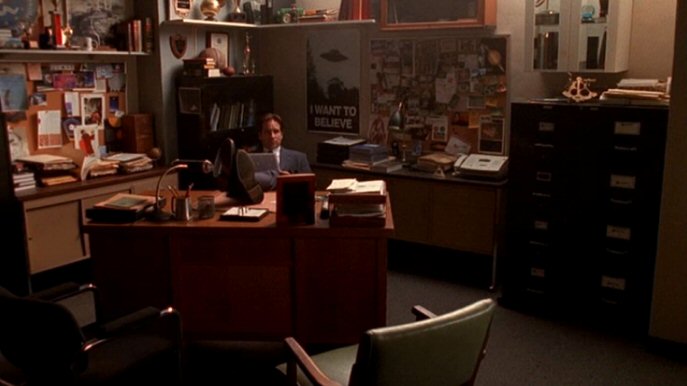
Maybe that is the one thing we're forgetting about with the rise of the surveillance state. The federal government may be collecting vast amounts of data about us, our activities and our whereabouts to "prevent terrorism". But someone - perhaps a lonely investigator in a basement office of the FBI in Washington, DC, with a poster on the wall that says, "I WANT TO BELIEVE" - that someone has to read the data, interpret it and give it enough meaning to act on it.

Tuesday, June 18, 2013

Centurylink, Part II

I'm late posting today because I was winded from yesterday. What did I do yesterday? I wrote a letter to Centurylink, explaining to them that I was canceling my subscription to their services. In addition, I informed them of my complaint to the FCC and that I would not be making any payments to them for any services or a cancellation fee until the FCC makes a final determination in the case I opened with them.

I also cc'd the Mayor of West Valley City, Mike Winder. Winder is an ardent supporter of community broadband. He helped make West Valley City one of the UTOPIA cities here in the Wassatch Front. UTOPIA is a community broadband project to build a world-class internet infrastructure that is sold to consumers using the open access model pioneered in Japan. It's working Sumo Networks is selling a 100mbs connection for $45 a month. Sweet.

And I cc'd a copy of the letter to the FCC so that they can add it to my file. The remedies I am seeking are simple. First, because the service was so terrible, nearly unusable, I'm asking that the cancellation fees be waived. As an option, I'm suggesting that Centurylink build a fiber connection to my home that will compete on equal footing with Comcast and eventually Utopia.

All of this was done with snail mail on paper. I'm so glad that I don't have to deal with a typewriter anymore. But stamps, return receipts and licking some envelopes were additional costs that I had to shoulder. To make all this happen, I had to hop in my car, drive to the post office, FedEx Kinkos for copies and then to the Centurylink Store to return my modem.

See, Centurylink is offering a maximum of 5mbs and they guarantee only 4mbs. That's barely enough to get anything done and includes reacquainting myself with the World Wide Wait. The service they offered was not steady and all repair attempts failed utterly. If they want to pursue a $200 cancellation fee, they're going to have to contend with a public relations problem, too.

For now, I'm going to stick with Comcast. I have my own modem so I won't have to pay an extra $7 a month for it. The modem has mesmerizing, very pretty blue and green lights on it, too, so I know when it's running and when it's not. It's running at about 50mbs for the moment and that is just fine.

If Centurylink wants my business, they're going to have to build a steady and fast connection that can keep up with the competition. Until then, I can bide my time until Utopia comes to my house.

Monday, June 17, 2013

Economic Ecology

Mankind is rather unique in the animal and plant kingdom in one, somewhat startling respect: he doesn't recycle everything. Not even close.

Every ecosystem that has ever been studied by mankind finds that all waste is recycled one way or another. Trees give up leaves that later become soil. Vultures and ants eat dead animals. Bacteria and fungus eat everything. Water washes away anything refused by animals.

Mankind? We put our waste in landfills. We burn it. We let it float in a collection of garbage the size of Texas in the South Pacific.

Today, we are not going to discuss the ecological impact of man. Mankind's impact on nature is already well documented and the investigation continues. Rather, today we will explore how American economic policy ignores rather than acknowledges nature for its wisdom.

Let us turn now to the industry known as "Big Content". This includes movies, books and music, to name a few parts of it. Big Content loves copyright law and is always pushing for more. Longer terms, harsher penalties, and a greater reach.

Copyright laws assume that creators will have an incentive to create works if creators of such works have exclusive rights to their works for limited times. Ostensibly, this permits the creator to get his works to market before someone else copies it, a sort of artificial first mover advantage, and permits the creator to earn a living from those works.

This was fine for copyright terms of 14 or 28 years. But, during the 20th century, the length of the term of copyrights were increased incrementally. Then, starting around 1976, the trend accelerated, to the point that now, copyright is 70 years plus life. This could amount to more than a century of protection for copyrighted work. While in Congress, Sonny Bono pushed legislation that would make copyright last forever, but didn't get the support he needed to pass it.

This expansion of copyrights has had two observed effects. First, it has noticeably decreased the sphere of the public domain over time. Second, it has lengthened the time it takes for new creative works to enter the public domain, and that provides inspiration for new works. The public domain is a big part of what is known as "culture", a fact that Big Content conveniently ignores.

Finally, the length of the copyright term is so long that works created today will not enter the public domain until several generations have passed, creating a massive pile of orphaned works. Orphaned works cannot be reproduced without the consent of the copyright holder. If the copyright holder is unavailable, incapacitated, or cannot be located, the work is orphaned and excluded from "culture" until the copyright expires.

The excessively long term of copyrights has created a condition where only 2% of recorded works between 55 and 75 years old retain any commercial value, leaving the other 98% to obscurity. Many of those 98% are orphaned works. The case could be made here that copyright is killing American culture.

Patents have provided similar results, although in a different way, since they protect inventions rather than expression. The life of a patent is usually 20 years. They require renewals, so that at least they can expire in a reasonable amount of time.

But the term is not the worst problem. It is the scope of patents. Patents are often written in broad, vague language, making it difficult to determine the limits of the claims in a patent. Patents for software began to issue in the early 1990s in small amounts, with the number of patents for software mushrooming in the first decade of this century.

In the last 3 years, more than 200,000 patents were issued each year, with well over 100,000 issuing every year before that since 1989. A significant fraction of those patents were software patents, business method and process patents. Of those, most of them consisted of functional claiming.

Functional claiming reads something like, "pushing email to a phone", rather than providing a precise description of the code used to make the function possible. There are thousands if not millions of ways write a program that will send emails to a phone, but the patent forecloses them all, creating a giant land grab for the patentee.

Software is about the exchange of ideas and information, but the patents on software have made software development risky and expensive. Businesses that have been the target of patent suits have complained loudly that vague patents have gotten out of hand.

The Obama Administration has been listening and has issued an executive order to reign in functional claiming so as to require patents read on a precise method of reaching the claims in a patent. The order will also attempt to deal with patentees that try to hide behind shell companies to avoid legal or market retribution for their action.

Software patents have also given rise to patent trolls that hide behind thousands of shell companies to hide the real party in interest behind the patent. This permits the real party in interest to sue competitors without fear of backlash from customers or competitors. The same executive order mentioned above will require the real party in interest to be disclosed, and that no damages may be collected for infringements prior to the time that the real party in interest is reported when applying for renewal, or during litigation. This is a step in the right direction, but until a court definitely rules software unpatentable, there is much work to do. Luckily, Obama's action can be taken without waiting for Congress to figure it out.

When we read the news, we don't often find a connection between intellectual property policy and economic policy. Looking at the costs of patent trolls alone, it has been estimated that direct costs of their litigation tactics has cost a minimum of $30 billion in one year, $500 billion overall. Indirect costs could reach much farther and exact a deeper toll on the economy.

When patents are vague, they create uncertainty in the marketplace, they create risk in the use, exchange, and recycling of ideas. This is damage to our economy in no uncertain terms, killing jobs and sending innovators overseas.

Let's turn to examples that are more familiar. Most of us know what we've read about the bank bailouts of 2008 after the credit freeze. More than $700 billion has been allocated to the banks to keep them from failing. The housing bubble that lead to the collapse in stock prices for the biggest banks was merrily fomented by the banks themselves. AIG bet on the homeowners and Goldman Sachs bet against them and won. The true size of the bailout is estimated to be some $180 billion for AIG alone.

While the details are interesting, one aspect of the bailout is often missing from the press: ecology. Seeking Alpha ran a great piece on how the bailout prevented a natural cycle in capitalism from completing. Numerous articles at Seeking Alpha maintains that if the banks were allowed to fail, someone else would come in and buy what remains to start new businesses. This is exactly what happens when any other business fails. The bailouts are contrary to the cycle of life as in nature and demonstrates the folly of granting any entity immortality.

Starting in the 1980s, we saw the rise of the Reagan Revolution. Since that time, we have seen unprecedented consolidation of wealth and power in the hands of a tiny minority. I'm not talking about your garden variety millionaire, I'm talking about the billionaires - that minority. We have also seen the rise of monolithic monopolies that have taken advantage of tax laws to squirrel away billions offshore, placing that capital out of reach here.

As we have seen, the wealthiest individuals and corporations have spent more effort on accumulation of wealth and capital than on creating jobs. Rather than passing on the wealth created by innovations to employees who use them, corporations have sought to suppress wages and have colluded to do so. Rather than hiring college graduates here, they are importing them from abroad or sending operations overseas.

We have also seen the rise of interlocking directorates that provide a network for collusion in business while fronting the illusion of competition. There has also been an almost hyperbolic rise in executive compensation at the highest levels. CEOs regularly pull down tens of millions each year, often despite the poor performance of the companies they work for. Members of the boards of directors pull down an average of $250k a year for attending 3-4 meetings a year, also quite often despite the poor performance of their companies.

Such accumulations of wealth into the hands of an apparently idle class have done little to create the jobs our economy needs, belying their self-anointed title of "job creator". The accumulated lucre falls into bonds, and other long term investments. It also finds a way to tax shelters around world, unavailable to create jobs here.

This is just a sample of the mechanisms in place to demonstrate the ways in which the cycle of nature is not respected in American economic policy. In a free market, the wisdom of nature is respected. In a market controlled by private monopolies, bent on immortality, nature is ignored.

Saturday, June 15, 2013

Routing around damage

As the dust settles in the wake of the disclosure of the NSA's PRISM program, there has been a trend in the posts I see on Google+ and Facebook. Some organizations are calling for workarounds.

For example, The Pirate Party is planning its own social media network. If they adopt something like the Freedom Box, it could actually work. A social media network that is completely decentralized, free and ad-free is entirely possible, it is just a matter of time and determination.

If you don't believe me, consider the following for digestion. There are a number of community based Linux distributions that have zero ties to corporations, nor are they owned by them. Their repositories are distributed. If one goes down, another will pop up. That means that if I use community based distribution, no matter what any government does, I can always get a copy of a free operating system and get updates. However, the government can shut down Apple or Microsoft.

Traffic on the internet flows around damage. The PRISM program is damage to the internet. As awareness of the threat of PRISM grows, geeks will find ways to work around it. Then, they will make it easy to use and share it with their friends. After all, everything on the internet is code. Code is easy to write, distribute, modify and share. That is the open source way.

Glyn Moody is sharing his PGP key. Moody is a well respected Brit, author and commentator on technology trends. I like what he has to say. By sharing his key, he is permitting others to correspond with him, *privately*. What is PGP?

PGP stands for "Pretty Good Privacy". It is a method of encryption that makes it easy to send secure messages from point A to point B. PGP is Public Key encryption. I can use encryption software that uses the PGP algorithms to create two keys, a public key and a private key that is protected by a password. I share the public key with you and keep the private key.

When you want to send a secured message to me, you use my public key to encrypt a message. When I receive your message, I use my password protected private key to view the message.

The PGP system can be automated and its use simplified so that anyone can use it. It's free software and it's available on all computer platforms, namely, Windows, Mac and Linux.

It is unfortunate that to a very large extent, our government does not trust us. But is also important to remember how it got to be the way it is. We played a part in it. From the Reagan Revolution 30 years ago, we saw an incredible concentration of wealth and power into the hands of a tiny minority. How tiny? According to Larry Lessig, 0.05% of our population paid for 60% of election campaign contributions. That is a smaller set than the 1%, and they live in Lesterland.

If you want to know who's interests the government is protecting, it's theirs, those of the 0.05% - not ours. We should be focusing our attention on them to let them know how unhappy we are and what the rest of us are going to do about it. Apparently, that is already starting to happen.

Friday, June 14, 2013

Gigabit City

I've been taking some time to review the posts at the Community Broadband Networks website. It is replete with a simple and common theme. Cable and telephone duopolies are unwilling to invest in their networks until they see that local governments are willing to build their own. Then, and only then, do cable and telephone companies get the message - and get off their butt.

The local duopoly might do 20, 50 and maybe even 100 mbs for their networks. But few if any dare to offer gigabit. Yes, even here in Salt Lake City, there has been some movement among the duopoly ISPs. But they are loathe to provide gigabit. Maybe they think the demand isn't there. I think they want to build pent-up demand so that they can charge extra high prices for it when it does finally arrive.

There is a gigabit wave rolling through Iowa right now. Businesses in Iowa are realizing that cable and telephone companies are holding them back from the future: The Gigabit City.

The Community Broadband Networks website also notes that there is some bewilderment about the duopoly of cable and telephone companies. No one can fathom why they are dragging their feet.

I think I know why. Grand investments in network upgrades would take a big bite out of the astronomical salaries paid to the board of directors and the CEO. Why, if they spent billions on network upgrades to match Google Fiber, how are the top executives going to pay for their summer homes in Spain and Italy? They must be waiting for another government subsidy to help them out  during these tough economic times.

Could it be said that the cable/telephone duopoly is the greatest threat to America's ability to compete with the rest of the world? Definitely.

Thursday, June 13, 2013

Supreme Court rules human genes unpatentable

Did you know that for years, biotech companies have been able to patent human genes? It has been estimated that more than a third of human genes were patented. What is significant about these patents is that they include claims on substances that are naturally occurring: genes in you and me.

The Supreme Court of the United States has changed all that. They have just ruled that naturally occurring genes cannot be patented. They did rule that synthetic genes can be patented.

The case arises from a dispute over who could perform diagnostic tests on the BRCA1 and BRCA2 genes, that when mutated, indicate a higher propensity for breast cancer. Myriad Genetics had been using their patent rights to exclude all others from developing tests for this mutation. This court ruling allows for greater competition in the gene testing market, lowering costs and making such tests more accessible for more people.

It was a long time coming, but it was worth the wait. Finally, the Supreme Court is starting to remind the Federal Circuit of Appeals and the US Patent office, that you can't patent nature.

I'm glad to see that there is a sea change afoot in patent law that favors the freedom to innovate.

A Sea Change in System Administration

While it is true that Windows still dominates in the office space, there is a sea change afoot in job postings. Most are now calling for Linux experience. From last year to this year, the trend is significant, whereas, in previous years, the trend was slowly creeping up.

If you're still in school, and you want to work with computers, plan on learning Linux. Why? Linux is the platform of choice for Google, eBay, Amazon and just about every big player on the internet. But it's showing up more and more as businesses move away from Windows.

Many businesses are not planning a migration to Windows 8 anytime soon. I can see a day where Linux clients that present a web browser for work will be the dominant platform. I don't think that day is very far off, either.

The Linux Professional Institute offers a vendor neutral certification system to test your skills on Linux. They also offer free training materials that you can find here.

From web programming (java programming is red hot right now) to system administration, if you're going to work with computers, you will need Linux certification to get your foot in the door of just about any IT shop.

Wednesday, June 12, 2013

For CenturyLink, a complaint to the FCC

Yesterday, I filed my first complaint to the FCC concerning the shoddy service I've received from CenturyLink. For more than a month, I've had to deal with an internet service over DSL that just would not maintain the service level agreement speed of at least 4mbs per second.

On May 1st, I had changed to DSL to see if we could cut our costs from Comcast. I thought that life might be bearable with a much slower service at a steep discount. I was wrong.

At first I noticed that from time to time, the Internet was slow. Then I logged into the modem to check the speed. It was never the same. it was supposed to read 5.120mbs, but often read much, much lower. Sometimes 2.Xmbs. Sometimes it was at max. Even after a reboot, it would not return to the highest speed. I started keeping a log and soon after that, I could see that this wasn't going to improve.

After many phone and email contacts and one service visit, I gave up. I set up Comcast on Sunday and that works great. But there remained the task of cancelling CenturyLink.

Yesterday, I called CenturyLink to cancel my service. I learned that I was in a two year contract that required payment of a $200 cancellation fee. This would be understandable if the service were good. But it was terrible. Worse, all their "repairs" and "inspections" were merely gestures. They know that I'm on the hook for $200 and it might be hard to prove the point to a 3rd party.

CenturyLink thinks that I should put up with months of testing, repairs, replacement modems lots of correspondence and phone calls, just to satisfy their claim that they should be afforded every opportunity to repair the hardware and make it run right. Is that what they call customer service? I'd hate to think what they would do if they went rogue.

Well, my complaint will put this to the test. Is the FCC an advocate for the consumer? We'll see. Be sure to watch my blog as I'll post my progress here.

Monday, June 10, 2013

A transition to high speed service

Over the weekend, I managed to negotiate a faster internet connection for our home. I had been on Centurylink for the last month and it just wasn't working out.

My Centurylink connection was DSL at 5mbs per second. Centurylink would only guarantee 4mbs per second. Unfortunately, the modem provisioned to me could not hold a steady connection. Some days it was 2.4mbs. Others, 5.120mbs. And still others, somewhere in between. Seems that unless I was looking, the speed would not hold steady.

I had gotten to a point where I was keeping a log of the speeds and rebooting the modem several times a day. I tried negotiating a better connection with Centurylink but they were unwilling to provide a better connection. Apparently, Centurylink prefers to cede this neighborhood to Comcast. I have no proof of this, but it wouldn't surprise me if they agreed to a territory split.

That was my experiment away from Comcast.

I spent most of my day Sunday, working on our network connection. I had a modem and a power supply. I called Comcast and set up new service with a used modem, only to find that the modem would reset every few minutes. I spent several hours in the morning trying to get it to work to no avail. I think that the power supply may not have been adequate, I don't know for sure.

I sourced a Motorola SB6121 DOCSIS 3.0 modem from Staples for a really good price of $70. That certainly beat Best Buy's price of $89. Oddly, Staples did a price match of their store price to their website.

Back home I went and set up the new modem and made the call. This time, I found that the modem worked great, bonding 2 channels for more speed than a DOCSIS 2.0 modem will support. With promotions, I now have a 50mbs connection for $40 a month plus taxes.

With news of gigabit connections from Google, this may not seem like a big deal. But in my neighborhood, there is only one provider offering better than 5mbs. At 50mbs, I can download an Ubuntu CD in about 3 minutes. Google Docs runs smooth and fast. The experience is rather seamless.

Unfortunately, this is the exception rather than the rule in this country. The UTOPIA network through their resellers is offering 100mbs for $45 a month. In South Korea, Japan, and several countries in Northern Europe, 50mbs is pretty ho-hum. In Provo, Utah, they will have Google Fiber probably within a year.

For today, I'm just happy to have a fast and steady connection.

Saturday, June 08, 2013

A question the press isn't asking about government surveillance

Encryption. The government hates it because it provides real privacy for people who want it. But the government sees it as a threat. Personal privacy is an issue that is all over the news with stories about PRISM, a program to allow the biggest social networking sites to share information with the government. The story we're getting is that they're trying to protect us from terrorists.

Few people use encryption actively. I say actively because many people do use encryption when they visit a secured web page that uses SSL encryption (you'll know you're using SSL security when you see https at the beginning of an address in your browser). But emails? Attachments? Few of us, if ever, really use that. There are many people who don't know what encryption is, much less use it.

There are many forms and techniques for encryption. Encryption is the use of a mathematical algorithm to scramble a message so that it cannot be read by others. Only the person with the key can decrypt the message. A very well known encryption method is Pretty Good Privacy (PGP), invented by Phil Zimmerman in 1991. It is a standard today for personal and industrial encryption. It is also open and free. Anyone can use it. But it is not widely used mostly because it's not advertised much.

So that begs the question: Why didn't Microsoft make it a standard? My first thought on the question is that Microsoft doesn't like anything that is free. Microsoft could easily bake PGP into Outlook, but they don't want a form of encryption that would work well with Linux or Mac. If you want it for Outlook, you may have to buy it. Google offers a free plug-in, too (this didn't exist years ago when I first looked into it).

I suspect that there is a bigger reason: the government discourages encryption that they don't have a back door to. PGP is just that. There is no back door anywhere and if there were, an alternative could be made quickly to remove it. That's what's so cool about free software where the source code is available.

The same question could be asked of Apple. Or any other company that sells email client software. But one look at the free email clients like Thunderbird and Evolution will show that the Free Software movement has been quick to make PGP and option. There are PGP apps for Chrome and Gmail, too.

Some of you are wondering what PGP is. That's ok. Not everyone knows, so here is a short, gentle lesson. PGP is based on the concept of public key encryption. To encrypt a message or a file, I first create a key pair. One key is public, I share that with you. The other key is private and I keep that private.

I want you to secure the messages you send to me, so I share my public key with you. You use PGP with that public key to encrypt a message to me and then send it. When I receive it, I can use PGP with my private key to decrypt it. It's that simple in practice. But underneath is an incredible discovery in mathematics that makes it effective.

Bruce Schneier is a security expert. He's famous for exposing the security theater that is supposed to make us feel safer at airports. But he's also a software developer. He's studied encryption for many years, so he's just one authority on it. I found a fascinating excerpt (scroll down to answer 224) from his book, Applied Cryptography, which describes some very interesting facts about encryption.

Suffice it to say that, even if one wanted to use brute force to break encryption, it is not just a matter of time to use every possible combination to find the right key for an encrypted message. It is also a matter of energy. There is a discrete, finite amount of energy required to record, store and test each bit in a key. In short, to break a 256-bit encryption key would require an enormous amount of energy. Something like 10^51 ergs. That's supernova energy.

That's why the government hates encryption. The laws of thermodynamics place real limits on the computational power available to break encryption.

Again, the question remains, why isn't encryption standard in every email transmission? Someone doesn't want it be a standard practice. I wonder who that might be.

Friday, June 07, 2013

Reseller Nation, 2.0

In a previous post, called "Reseller Nation", I demonstrated that an abused intellectual property system has created a thicket that inhibits innovation and minimizes the public domain. Through a bit of serendipity, I've found that there is a giant ecosystem devoted to helping resellers.

Here's an example: Amazon. Most of us know that Amazon is a great place to shop for and buy what we want. Same with eBay. When we buy from them, we get quick, efficient service for purchases of new and used consumer items.

But there is something that I've learned about Amazon that was a genuine surprise: Fulfillment by Amazon (FBA). FBA allows anyone to sell anything by just doing two things: sourcing and promoting.

FBA allows a seller to source items to sell, have them shipped to Amazon, then Amazon will store them, take orders and collect the money. This system almost completely externalizes the labor and expense of fulfilling orders from say, a home based business.

eBay is another intermediary that supports the reseller nation. Google Shopping is also supporting the reseller nation. I'm sure we could find more if we looked, but Google, Amazon and eBay are the biggest players out there.

If you want to set up your own eCommerce website, both Google and Amazon can do it for you. You can hire your own dev if you want, but they will handle the security. They're the best. Amazon is legend for its resilience against attacks. Google has uptime that most system admins only dream of.

Such is the state of the reseller nation. If we can't make our own products because some troll with an idea patent might sue, we can sell someone else's product without fear and with plenty of support to do it.

Wednesday, June 05, 2013

Has technology made healthcare more efficient?

Computers and other advanced technology have made nearly every industry more efficient and more cost effective, reducing costs for consumers in almost every sector of the economy. From manufacturing to farming to energy delivery to service industries, costs have come down, in real dollars. But there is one big red exception. Healthcare.

Despite continual improvements in technologies, procedures and knowledge, healthcare now takes more than 18% of GDP in the United States. That is almost $3 trillion and double or triple the share of GDP in many other nations. So while I see conservatives complain about federal spending being greater than 18% of GDP, they seem to have nothing to say about a health care industry devouring so much money.

Year after year, we see amazing advances and discoveries in health care. gene therapy, cancer vaccines, prosthetic limbs, fantastic new imaging devices, the list goes on. All of these great discoveries and inventions should reduce the cost of health care. They would certainly seem to make the industry more efficient, right?

On the administrative side, computers have only improved with time. We have amazing database technologies that make it easy to capture and collate information to discover trends. We can have a completely paperless solution for managing health care services. We can run analysis on outcomes to see which treatments are truly effective and find the treatments that are reasonably priced and effective. Doctors can dictation to voice recognition systems to generate their reports.

We should be in a technology utopia for health care, right? Wrong.

In recent months, we have learned of the "Chargemaster" an apparently arbitrary system used by hospitals to set prices. The department of Health and Human Services has, despite furious protests from hospitals, released a giant database showing pricing for the 100 most common treatments for every hospital in the nation. The database also allows a quick comparison of the prices paid by medicare, usually a fraction of chargemaster prices. This will remove part of the fog around pricing for many Americans. If you're a database admin, you're going to love this.

Our health care market lacks transparency. Transparency means, being able to determine the cost of a treatment plan and compare it to other service providers *before* you do it. Try it sometime. I did and just couldn't do it. I could get an approximation and that's it. My best hope was to check with insurance company to get a clear limit on my liability. Making this data easy to find and compare will make the industry more efficient. It will also increase competition since everyone will know the prices set by each hospital.

There is one more link that needs to be established: the relationship between the cost of health care and outcomes. At the moment, that remains unclear. Historical data shows that there isn't much difference between the most expensive hospital in the country and the lowest cost hospital. In fact, for some very expensive hospitals, the outcomes tend to be worse.

One final note about our health care system. It has become a sacred cow. The United States is a partner in many free trade agreements. They're pretty consistent. Expose the working class to international competition, but protect the doctors, lawyers and economists and other professions.

Exposing our health care system to international competition can bring down costs, just like with any other industry. Doctors have been very comfortable with so much protection from Congress in the form of "free trade" agreements. Noted economist Dean Baker has proposed that we relax trade rules and set international standards for practicing medicine so that doctors can study in foreign countries and come here to live and practice. A doctor from India used to incomes in India won't have any issues working for half of what an American doctor earns today.

Allowing foreign doctors to work here would relieve the shortage of doctors and ...wait a minute. There's a doctor shortage? Don't they go surfing on Wednesdays? Shouldn't they be working 70-80 hours a week? Why does my dermatologist only keep her office open 3 days a week?

As I was saying, foreign competition will get the attention of doctors here. Doctors here on average, earn twice the pay of of their counterparts in all other industrialized countries as a result of this protection. That is protection we cannot afford.

If we want better health care, we need to be willing to subject our health care system to scrutiny and competition. We have the technology to make this happen. When do we start?

Monday, June 03, 2013

A quick look at Windows vs Linux hardware pricing

From time to time, I check out pricing for laptops and computers so that I can plan for a replacement of my aging desktop. My computer is more than 4 years old and it runs Ubuntu just fine. However, I'd like to have a rig that does a decent job of running virtual machines so that I can practice Linux server administration.

When I bought my computer, I got 3GB of RAM. That's fine if I'm just running Linux or Windows. But if I want to run virtual machines to practice working on virtual servers, maybe two or three, 8GB of RAM would be desirable. Turns out, on many new offerings, that configuration is standard. I would also like to see an i7 under the hood. In many cases, such a computer can be had for about $600 to $700.

As I shop for computers, I am keen to notice the price disparities between Linux vendors and Windows vendors. The disparity seems to increase as the capacities increase. The disparity is often due to "crapware" installed on Windows machines. For years, I noticed that there was about a 20-30% difference in pricing between Windows computers and Linux vendors. This is because OEMs make money from offering trial software, aka "crapware" on their computers to mitigate costs.

Customers could get a cheaper computer running Windows, but in the long run, they'd pay more in software licensing, particularly with antivirus (the Windows Tax). I've bought Windows PCs and saved money by blowing away the Windows image and replacing it with Linux. I did the same thing for my wife's laptop to avoid renewing the antivirus software. She's doing just fine on Linux.

That disparity seems to have disappeared. Below are two example laptops: one from Dell with Windows and the other from System76. Both have roughly the same capacities except for the hard drive:

Dell Inspiron 15R, Non-touch
CPU: 3rd Gen i7
RAM: 8GB
HD: 1TB
Display: 15.6"
Graphics: Intel HD
OS: Win7
Price: $849

System76 Pangolin Performance
CPU: 3rd Gen i7
RAM: 8GB
HD: 1TB
Display: 15.6"
Graphics: Intel HD
OS: Ubuntu 12.04 LTS
Price: $843

It's quite remarkable to see such similar pricing. We've come a long way from the days of truly obvious disparities to keep people on Windows. This is just one sample, but I'll keep an eye out for deals that compare well for Linux to see if there is a sea change afoot.

I'm glad to see that the competition is catching up on the Linux side.

Saturday, June 01, 2013

Oracle v Google: The Insanity of Oracle's Appeal

A couple of years ago, Oracle sued Google for copyright and patent infringement of it's Java virtual machine and programming language. In the original complaint, Oracle claimed that Google's Android operating system infringed patents and copyrights owned by Oracle.

The results are in. Google essentially won the lawsuit with the jury ruling against Oracle on almost everything. Oracle had to pay costs for Google.

But Oracle is appealing on one issue in particular. Oracle is saying that the Java API should be protected by copyright law. There are two problems with their argument. One is that their request would break more than a century of stare decisis. Two is that their request would break the software industry.

What is an API? An API is also known as an Application Programming Interface. Every piece of software has one. Operating systems are a great example. An API for an operating system allows a programmer to write a set of instructions, a program, to talk to the operating system. With knowledge of an operating system API, programs can be written to request access to hardware, time on the CPU to run instructions and write results to disk or memory or the display.

APIs allow programs to talk to each other. An API is a set of rules that allow me to write a program that will talk to another program, often written by someone else. Once I know the rules, I can send instructions to the other program to achieve a desired result.

Java has a very well documented programming interface. Google created the Android operating system to mimic Java and still run on small devices. Google also copied part of the Java API so that programmers familiar with Java could write applications for Android without having to learn a new language. That is what Oracle is suing Google about.

A swarm of innovators has arisen to sign onto an amicus brief explaining to the appeals court that Oracle is making an absurd request. Oracle's efforts to get copyright protection for the Java API reflect an effort to cut off the air supply for Android. It would also give programmers unprecedented control over who can write compatible programs for say, an operating system or documents produced by an office productivity suite.

If Oracle prevails on appeal, the decision would mean, for example, that Microsoft could assert copyright infringement on all free software that runs on Windows. That is, unless free software were to adhere to conditions set by Microsoft. It is easy to see how Microsoft (and Oracle) would try to extract prohibitive license fees to prevent competition from taking root around them.

Over the last 30 years, copyright laws have been made so strong that the public domain is starting to suffer and that is starting to show. Enlarging rights for programmers would create a copyright thicket that is impossible for programmers to navigate. Enlarging rights for programmers would also restrict domestic programmers so much that the world would simply run around us like damage, avoiding our products for lack of interoperability.

If Oracle prevails, free software that now runs on Windows and MacOS would be in peril, subject to the whims of Microsoft and Apple. In a way, it is nuclear war in software.

Nobody wins in a war. Nobody. Oracle's appeal should be rejected immediately to prevent yet another hindrance to innovation in America.